


Samsung SE Error Code: Causes, Fixes & Prevention | FM Appliances
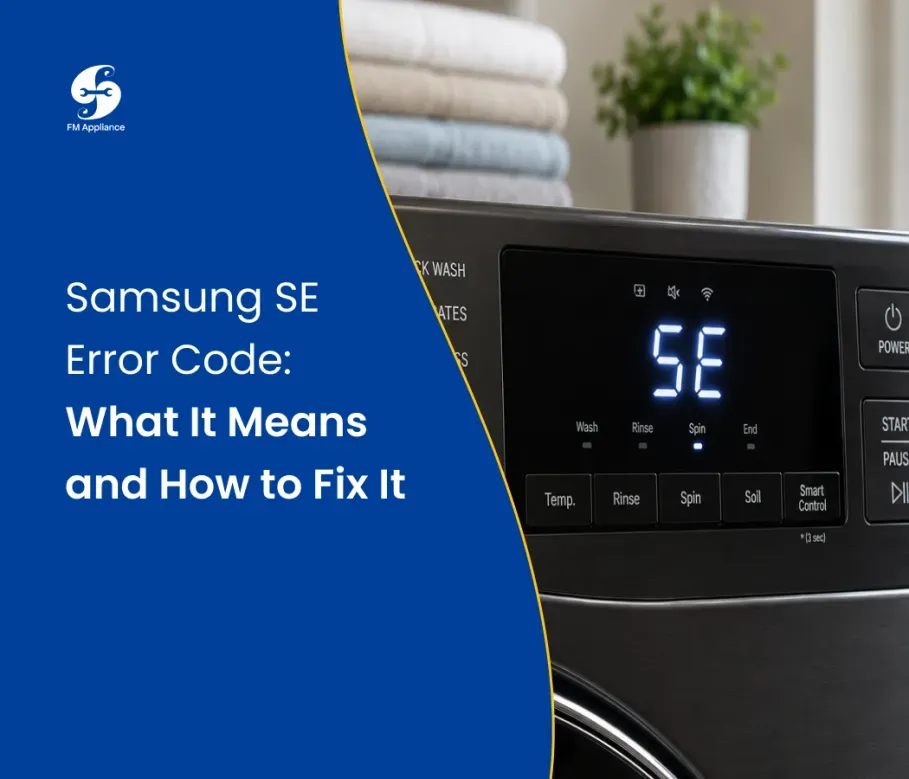
Your Samsung washer just stopped mid-cycle and is flashing an SE error on the display. Before you panic, take a breath — the samsung se error is one of the most common fault codes Samsung washing machine owners encounter, and in most cases, it's something you can fix yourself in under 30 minutes. This guide covers everything you need to know: what the code means, why it happens, and exactly how to resolve it step by step.
What Is the Samsung SE Error?
The samsung se error is a drainage fault code. It means your washing machine attempted to drain water but couldn't complete the process within the expected time frame. When this happens, the washer automatically halts the cycle to prevent overflow or motor damage and displays the SE code to alert you.
You may also see this fault appear in slightly different forms depending on your model:
Samsung SE code — the standard drainage error displayed on most models
Samsung washer SE 200 — a more advanced drainage fault, usually tied to a pump obstruction or failure
SE 100 — a partial drainage fault, often caused by a partially blocked filter
SE code 21 — a pump motor communication error on select Samsung series
All of these point to the same core issue: water is not leaving the drum as it should.
Why Does the Samsung SE Error Appear?
Understanding the root cause of the samsung se code is the first step toward a lasting fix. Here are the most common reasons this error triggers:
Blocked drain filter the most frequent cause; lint, hair, and small objects accumulate over time and restrict water flow
Kinked or obstructed drain hose a hose pressed against a wall or bent at a sharp angle stops water from exiting
Faulty or jammed drain pump the pump impeller can seize if a foreign object (a coin, button, or small sock) gets caught inside
Excessive detergent foam too much soap creates suds that trick drainage sensors into detecting a blockage
Control board fault in rare cases, a faulty PCB sends a false SE signal even when drainage is physically fine
How to Fix the Samsung SE Error: Complete Step-by-Step Guide
Step 1: Try a Drain & Spin Cycle
Start simple. Cancel the current program, select Drain & Spin or Spin Only, and press Start. Sometimes the samsung se error is caused by a temporary overload or suds buildup, and a dedicated drain cycle clears it on its own.
If the error reappears, move to Step 2.
Step 2: Clean the Drain Filter
This is the fix that resolves the samsung se code in the majority of cases. The filter is located at the bottom front of your washer, behind a small access panel.
Follow these steps:
Lay a towel or shallow tray under the access panel to catch water
Open the panel and pull out the small emergency drain hose — remove the cap to drain residual water
Unscrew the filter cap counter-clockwise and pull it out
Clear all lint, hair, coins, and debris from the filter and the filter housing
Rinse the filter thoroughly under running water
Reinsert the filter, secure the cap, and close the panel
Run a short test cycle to confirm the error is gone
Pro tip: Clean your drain filter every 1–3 months to prevent the samsung se error from returning. It takes less than 10 minutes and saves you from unnecessary service calls.
Step 3: Inspect the Drain Hose
If cleaning the filter didn't resolve the samsung washer SE 200 or SE error, check the drain hose next.
Pull the washer away from the wall and visually inspect the entire hose for kinks or bends
Detach the hose from the standpipe or utility sink and check the interior for blockages
Confirm the hose installation height — Samsung recommends between 6 cm and 96 cm from the floor; too high creates back-pressure, too low causes siphoning
Replace the hose if it's cracked, hardened, or deformed. Need help finding the right part for your model? washing machine not draining — we'll point you in the right direction.
Step 4: Check the Drain Pump
If you're seeing the samsung washer SE 200 specifically, the drain pump is likely the culprit. This error code variant signals that the pump motor is either obstructed or failing to operate correctly.
Signs your drain pump needs attention:
A loud humming or buzzing sound when the machine tries to drain
Water drains very slowly or not at all
The SE 200 code appears immediately at the start of the drain phase
To inspect the pump:
Unplug the washer completely
Remove the back or bottom access panel (varies by model)
Locate the drain pump — it sits at the base of the machine connected to the drain hose
Check the impeller blades for debris and remove any obstructions by hand
Reconnect everything and run a test cycle
If the pump motor is burnt out or seized, it will need to be replaced — a job best handled by a certified technician. washer drain pump replacement and we'll have it sorted quickly.
Step 5: Reset the Washer
After addressing the physical issue, reset the machine to clear the samsung se error from the control board:
Switch the washer off and unplug it from the power outlet
Wait at least 5 minutes — this allows the control board to fully discharge
Plug back in, select a short wash cycle, and confirm the SE code no longer appears
A reset is especially effective when the samsung se code was triggered by a power surge or a temporary sensor glitch rather than a physical blockage.
Samsung SE Error on Front-Load vs. Top-Load Washers
Front-Load Washers
Front-loaders are more prone to the samsung se error because drainage relies entirely on the pump — there's no gravity assist from the drum angle. Even a partially blocked filter puts significant strain on the system and triggers the fault sooner. Regular filter cleaning is non-negotiable on these models.
Top-Load Washers
Top-load Samsung washers can also display the SE or samsung washer SE 200 code, but gravity helps pull water toward the pump. Drain hose positioning and foreign objects in the pump are more often the cause on top-loaders than filter blockages.
Not sure which repair approach fits your specific model? Samsung washer SE code — front-load, top-load, and combination units.
When Should You Call a Professional?
If you've worked through all the steps above and the samsung se error is still showing, it's time to call in a pro. Continuing to run a washer with an unresolved drainage fault can:
Permanently damage the pump motor
Cause water leaks that damage cabinetry and flooring
Lead to mold growth inside the drum and door seal
Void your warranty if the fault worsens due to delayed repair
Don't let a manageable issue turn into a costly one. appliance repair Charlotte NC — fast response times, genuine parts, and experienced technicians.
How to Prevent the Samsung SE Error Code in the Future
A few simple habits go a long way:
Clean the drain filter every 1–3 months — this single habit prevents the majority of SE errors
Check pockets before every wash — coins and small items are the #1 cause of pump jams
Use the correct HE detergent in the right quantity — excess foam interferes with drainage sensors
Don't overload the drum — heavy loads strain the pump motor and slow drainage
Run a monthly drum clean cycle — flushes out detergent residue and keeps sensors accurate
Final Thoughts
The samsung se error looks alarming on your display, but it's rarely a sign of serious damage especially when you catch it early. In the vast majority of cases, a clean drain filter or a cleared hose is all it takes to get your washer back in action. Follow this guide, stay on top of routine maintenance, and your Samsung washing machine will give you years of reliable service.
Still dealing with the samsung se code after trying everything here? Don't waste time guessing samsung se error code for a fast, professional fix.

