



LG Washer Not Draining or Spinning? 8 Fixes That Work
Quick answer: An LG washer that won't drain is usually blocked, not broken. In most cases the cause is a clogged drain pump filter, a kinked or badly placed drain hose, or too many suds from regular detergent. Clean the filter, check the hose, then run a Spin Only cycle. If you hear no hum from the pump, or the OE code returns within a few loads, the drain pump itself has likely failed.
You open the door and the drum is still half full of gray water. Or the display flashes OE and the cycle stops. Either way, your laundry is stuck and the washer won't move on.
I repair washers across Charlotte and the surrounding towns, and LG front-loaders are some of the most common machines I see. The good news: a drain problem on an LG is very often something you can fix yourself in under 30 minutes, with a towel and a shallow pan.
This guide walks you through the same order I use on a service call. First we figure out what the washer is actually doing. Then we fix the most likely cause first, and only then look at the pump. I'll also tell you honestly when it's time to stop and call a technician.
Start Here: What Is Your LG Washer Actually Doing?
Before you touch a tool, listen to the machine during the drain part of the cycle. The sound tells you more than the error code does. This is the first thing I do on every call.
What you notice | Most likely cause | Start with |
|---|---|---|
Pump hums, but water doesn't move | Clogged drain pump filter or debris in the pump | Fix 2 |
No hum or click at all during drain | Failed drain pump, wiring or control fault | Fix 7 |
OE code on the display | Water didn't drain in time (filter, hose or pump) | Fix 2, then Fix 3 |
Drains slowly or leaves water at the bottom | Partly blocked filter or hose, or the hose pushed too far into the standpipe | Fix 2 and Fix 3 |
Won't drain and won't spin | Water left in the drum blocks the spin; fix the drain first | Fix 1 and Fix 2 |
Lots of foam, drains then stops | Too many suds from non-HE detergent | Fix 5 |
Water drains, then comes back into the drum | Household drain or standpipe backing up | Fix 4 |
Why Is My LG Washer Not Draining?
An LG washer drains by pumping water through a filter, into the drain hose, and out to your home's standpipe or sink. A blockage anywhere on that path stops the drain. Here are the causes in the order I find them most often.
1. Clogged drain pump filter
On LG front-loaders, the filter sits behind a small cover at the bottom front of the machine. It catches coins, hair ties, socks, lint and buttons before they reach the pump. LG itself names a clogged filter as the first thing to check for an OE code (LG Support).
In my experience, this is where the problem is more often than anywhere else. Kids' socks and face masks are regulars in the filters I pull.
2. Kinked, pinched or misplaced drain hose
Washers vibrate and "walk" during the spin. When the machine is pushed back against the wall, the hose can fold behind it. A hose shoved too deep into the standpipe can also cause trouble: water siphons out, or air can't get in, and the drain slows down.
3. Too many suds
LG front-loaders use very little water, so they need HE (high-efficiency) detergent. Regular detergent, or too much HE detergent, creates thick foam. The machine senses the foam and slows or pauses the drain to protect itself. It looks like a drain fault, but nothing is broken.
4. A blocked household drain
Sometimes the washer is fine and the house drain is the problem. If water comes back up the standpipe, or the sink next to the washer gurgles, the blockage is in your plumbing.
5. A failing drain pump
The pump is a small motor with an impeller. Debris can jam the impeller, or the motor can simply wear out. A pump that is jammed often hums. A pump that has died makes no sound at all.
6. Lid switch, door lock or control issues
The washer won't drain or spin if it thinks the door isn't locked. On top-loaders, a faulty lid switch causes the same symptom. Less often, the main control board stops sending power to the pump.
How to Fix an LG Washer That Won't Drain: 8 Fixes in Order
Work through these in order. The first five cost nothing and fix most drain problems I see. Unplug the washer before any step that has you opening a panel.
Fix 1: Reset the washer and force a drain with Spin Only
A glitch in the control can stop a cycle mid-way. Unplug the washer for 5 to 10 minutes, plug it back in, and press Power.
Then force a drain. Don't pick a wash cycle. Press Spin to choose a speed and press Start/Pause (LG Support). On many models you can set the spin to its lowest setting to drain without a hard spin. That is the easiest way to "cancel a cycle and drain" on an LG.
If the drum empties, the problem was temporary. If water stays put, move on.
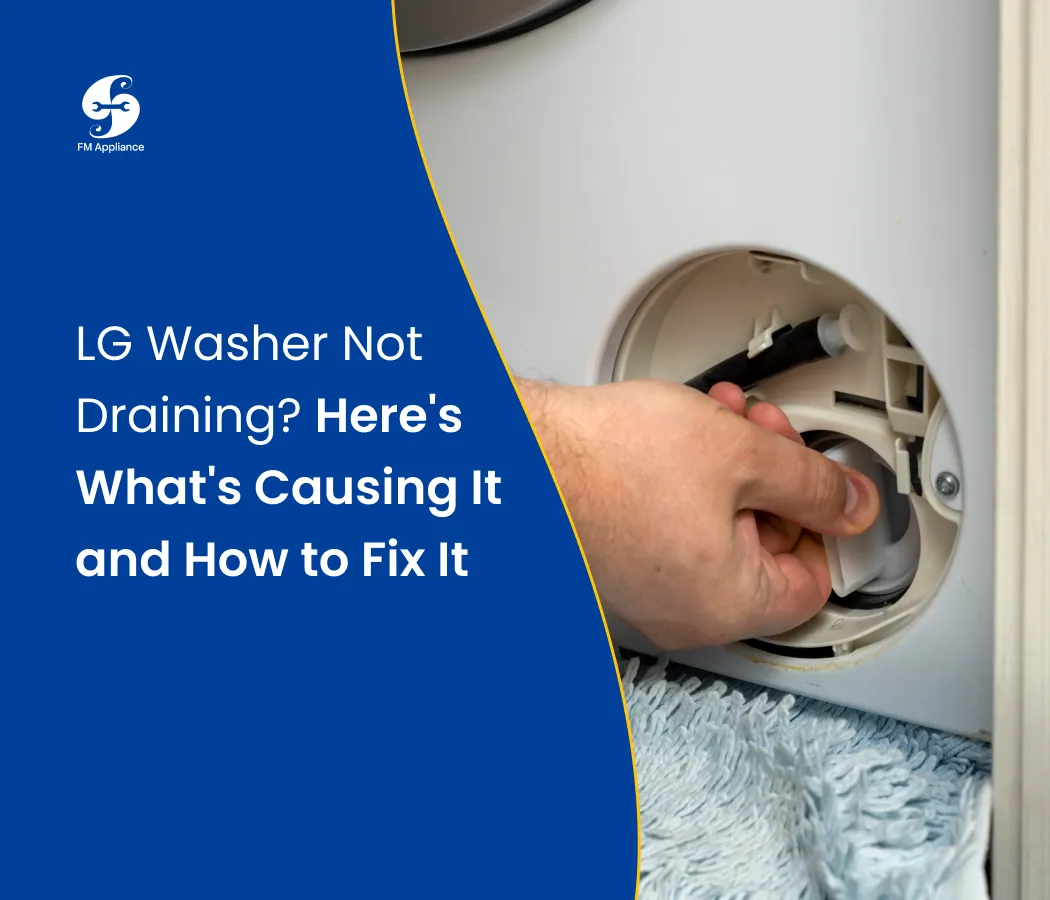
Fix 2: Clean the drain pump filter (front-load models)
This is the fix that solves the most LG drain problems.
Unplug the washer. If the last cycle was hot, wait for the water to cool.
Lay towels down and put a shallow baking pan under the bottom front corner.
Open the small access cover at the bottom of the washer.
Pull out the short drain tube next to the filter, remove its cap and let the water run into the pan. It can be several gallons, so empty the pan as you go.
Unscrew the filter cap counterclockwise and pull the filter out.
Clear the debris and rinse the filter. A toothbrush helps with lint.
Shine a flashlight into the opening and check the pump impeller turns freely.
Screw the filter back in firmly, re-cap the drain tube, close the cover and run Spin Only.
A tip from the field: the filter cap is often tight and the water behind it comes out faster than people expect. Go slowly. Also make sure the filter is fully seated when you put it back. A loose cap is a common cause of a slow leak afterwards.
Fix 3: Check the drain hose
Pull the washer out from the wall and follow the hose from the back of the machine to the drain.
Straighten any kinks or folds behind the washer.
Check that the hose isn't pushed too deep into the standpipe. It should go in only a few inches and be held with the hose clip, not taped in tight.
Check that the hose sits at the height your owner's manual gives. Too high and the pump can't push water up; too low and water can siphon out.
If you suspect a clog, take the hose off and run water through it or flush it with a garden hose.
Fix 4: Test your home's drain
This is the test LG recommends (LG Support). Take the hose out of the standpipe, put the end in a large bucket or bathtub and run Spin Only. If the washer pumps water out strongly, the washer is fine. The clog is in the house drain, and a plumber or a drain snake is the next step.
Fix 5: Get rid of excess suds
If you see thick foam behind the door, run a Rinse+Spin cycle with no detergent. Repeat until the foam is gone. From then on, use only HE detergent and less of it than the cap suggests. With soft water, which much of the Charlotte area has, you need even less.
Fix 6: Thaw a frozen hose or pump
This one surprises people in the Carolinas, but washers in unheated garages do freeze during cold snaps. LG's advice: pour warm water at 122–140°F into the drum, close the door and wait 1 to 2 hours, then drain. Never use boiling water.
Fix 7: Check the drain pump
Start a Spin Only cycle and listen at the bottom front of the machine.
Humming, but no water moves: something is jamming the impeller. Look through the filter opening again for a coin or a piece of plastic.
No sound at all: the pump motor, its wiring or the control board isn't working.
Testing the pump with a multimeter and replacing it means taking off panels on a machine that is still full of water. If you're comfortable with that, our LG washer drain pump replacement guide walks you through the parts and the cost. If not, this is a good point to call a technician.
Fix 8: Check ThinQ and run Smart Diagnosis
If your washer connects to the LG ThinQ app, open it and check for alerts or a software update. ThinQ also has a Smart Diagnosis feature that reads the washer's fault history. It is worth running before you call anyone, because a technician can use the result to bring the right part on the first visit.
What the OE Code Means on an LG Washer
OE stands for "outlet error." The washer tried to drain and the water level didn't drop in time. It is a symptom, not a diagnosis: the same code shows up for a clogged filter, a kinked hose or a dead pump. Work through Fixes 1 to 7 above. For a deeper look at the code itself, see our LG washer OE error code guide. Other codes are covered in our washer error codes guide.
One pattern worth knowing: if OE clears after a reset but comes back two or three loads later, the filter or hose usually wasn't the real cause. That is the classic sign of a pump that is starting to fail.
Front-Load vs. Top-Load vs. Washer-Dryer Combo
Model type | Where to look first | Notes |
|---|---|---|
Front-load (incl. TROMM) | Drain pump filter behind the bottom front cover | Most drain calls on LG front-loaders are fixed at the filter |
Top-load (incl. TurboWash, direct drive) | Drain hose, lid switch, suds | Many LG top-loaders have no filter you can reach from the front; check your manual before taking panels off |
Washer-dryer combo | Drain pump filter at the bottom front | Lint from the dry cycle can clog the filter faster, so clean it more often |
WashTower | Filter on the washer section, bottom front | Hose access is harder because of the stacked frame |
Why it won't spin either
People often search "LG washer won't drain or spin" as one problem, and it usually is. The washer won't spin a drum full of water, because the weight would damage the bearings. Fix the drain and the spin usually comes back. If it drains but still won't spin, read our washing machine won't spin guide.
Not draining completely
A little water left in the bottom of the boot seal of a front-loader is normal. An inch or more in the drum is not. A slow, incomplete drain almost always means a partly blocked filter or a hose set too deep in the standpipe.
What We See on LG Drain Calls Around Charlotte
Our technicians handle LG washers every week in Charlotte, Matthews, Fort Mill and the towns around them. A few patterns come up again and again:
The filter that was never cleaned. Many owners don't know the filter exists until the washer stops draining. LG recommends cleaning it about once a month.
The "fixed" washer that comes back. A reset clears the OE code for a few days, then it returns. That usually points to a weak pump, and replacing it early saves a flooded laundry room later.
New installs with the hose in too deep. After a move or a new washer, the hose is often pushed far down the standpipe. The machine is fine; the hose just needs to be reset.
Hard-to-reach washers. Stacked units and closet installs make the hose and pump hard to get to. This is where many DIY repairs stall.
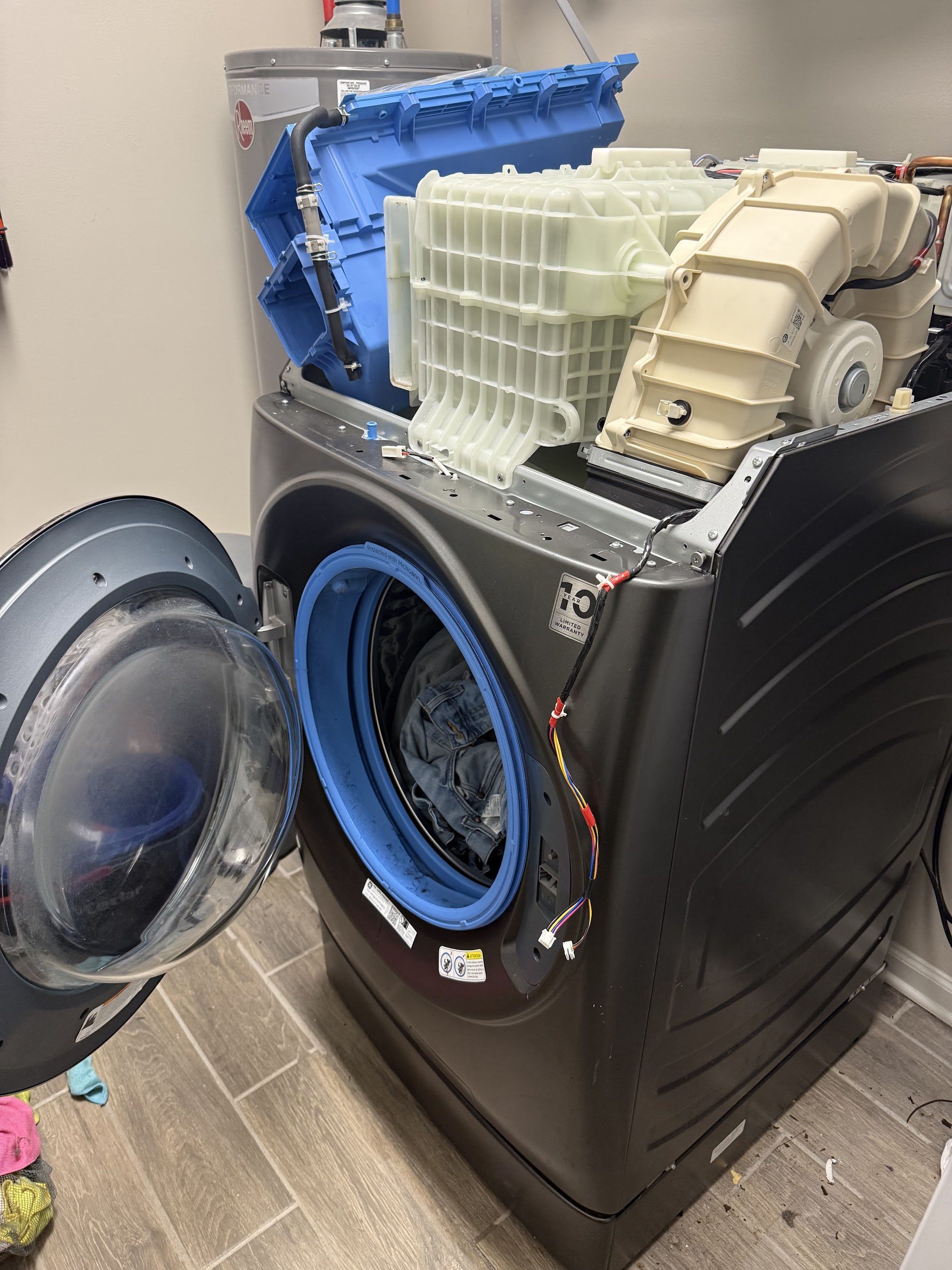
When a drain problem goes beyond the filter and hose, we diagnose the pump, the door lock and the control board on the first visit and carry common LG drain parts on the truck. That way most of these jobs are done in one trip.
How to Keep Your LG Washer Draining
Clean the drain pump filter once a month.
Empty pockets before every load. Coins and hair pins are the top filter cloggers.
Use HE detergent only, and measure it.
Wash small items like socks and masks in a mesh bag.
Leave a few inches of space behind the washer so the hose can't fold.
Run the Tub Clean cycle once a month.
More habits like these are in our home appliance maintenance tips.
When to Call a Professional
Call a technician if:
The pump makes no sound at all during a drain.
The OE code keeps coming back after you've cleaned the filter and checked the hose.
You see water leaking under the machine.
You smell burning, or the washer trips a breaker.
The washer is stacked or built into a closet and you can't safely reach the hose or the pump.
If you're in the Charlotte area, our technicians do washing machine repair across North and South Carolina. For a washer of any brand, our general washing machine not draining guide covers the basics.
Frequently Asked Questions
Why is my LG washer not draining?
The most common cause is a clogged drain pump filter. After that come a kinked or badly placed drain hose, too many suds from non-HE detergent, and a failing drain pump. Clean the filter and check the hose first; together they fix most cases.
How do I force my LG washer to drain?
Unplug it for 5 to 10 minutes, plug it back in and press Power. Without choosing a cycle, press Spin, pick the lowest speed and press Start/Pause. If it still won't drain, open the bottom front cover and drain the water through the small drain tube next to the filter.
How do I cancel a cycle and drain an LG washer?
Press Power to stop the cycle, then press Power again. Select Spin Only (press Spin without choosing a cycle) and press Start/Pause. The washer will pump out the water before the door unlocks.
Why won't my LG washer drain or spin?
The washer won't spin while there is water in the drum, so a drain problem also stops the spin. Clear the drain first. If it drains but still won't spin, the cause is usually an unbalanced load, the door lock or the motor.
Why is my LG washer not draining completely?
A partly blocked filter or a drain hose pushed too far into the standpipe are the usual causes. A small amount of water in the door seal of a front-loader is normal; water in the drum is not.
Does an LG top-load washer have a drain filter?
Many LG top-load models don't have a drain filter you can reach from the outside, unlike the front-loaders. Check your owner's manual. If there isn't one, focus on the hose, the lid switch and suds before suspecting the pump.
My LG washer-dryer combo isn't draining. Is the fix the same?
Mostly, yes. The combo has a drain pump filter at the bottom front, like a front-loader. Lint from drying clogs it faster, so clean it more often than on a washer alone.
Can I keep using my LG washer if it drains slowly?
It's not a good idea. A slow drain makes the pump work harder and can leave clothes soaked and smelling musty. Find the cause first, starting with the filter.
How much does it cost to fix an LG washer that won't drain?
Cleaning the filter or straightening the hose costs nothing. A new drain pump is the most common paid repair. Our LG drain pump replacement guide breaks down parts and labor.
The Bottom Line
Most LG washers that won't drain aren't broken. Start with the filter, then the hose, then the suds, and run Spin Only after each step. If the pump stays silent or the OE code keeps coming back, it's time for a technician. In the Charlotte area, you can book a washer repair with FM Appliances.
About the author
Frank Thompson is an appliance repair technician at FM Appliances, serving Charlotte and the surrounding towns in North and South Carolina. He works on washers, dryers, refrigerators and kitchen appliances from LG, Samsung, Whirlpool, GE and other major brands. His guides are written from what he sees on real service calls, so homeowners can fix the simple problems themselves and know when a repair needs a pro.

