


Samsung Dishwasher LC Code: What It Means and How to Fix It | FM Appliances
You're about to run a load of dishes when your Samsung dishwasher suddenly displays an LC code and refuses to start. No warning, no obvious cause — just a blinking error and a machine that won't cooperate.
The Samsung dishwasher LC code is one of the most common error alerts on Samsung appliances, and it's one that catches a lot of people off guard. The good news? It's usually fixable at home without any special tools. This guide walks you through every cause and fix — and if you need a pro, our team is ready for Samsung dishwasher repair.
What Does the Samsung Dishwasher LC Code Mean?
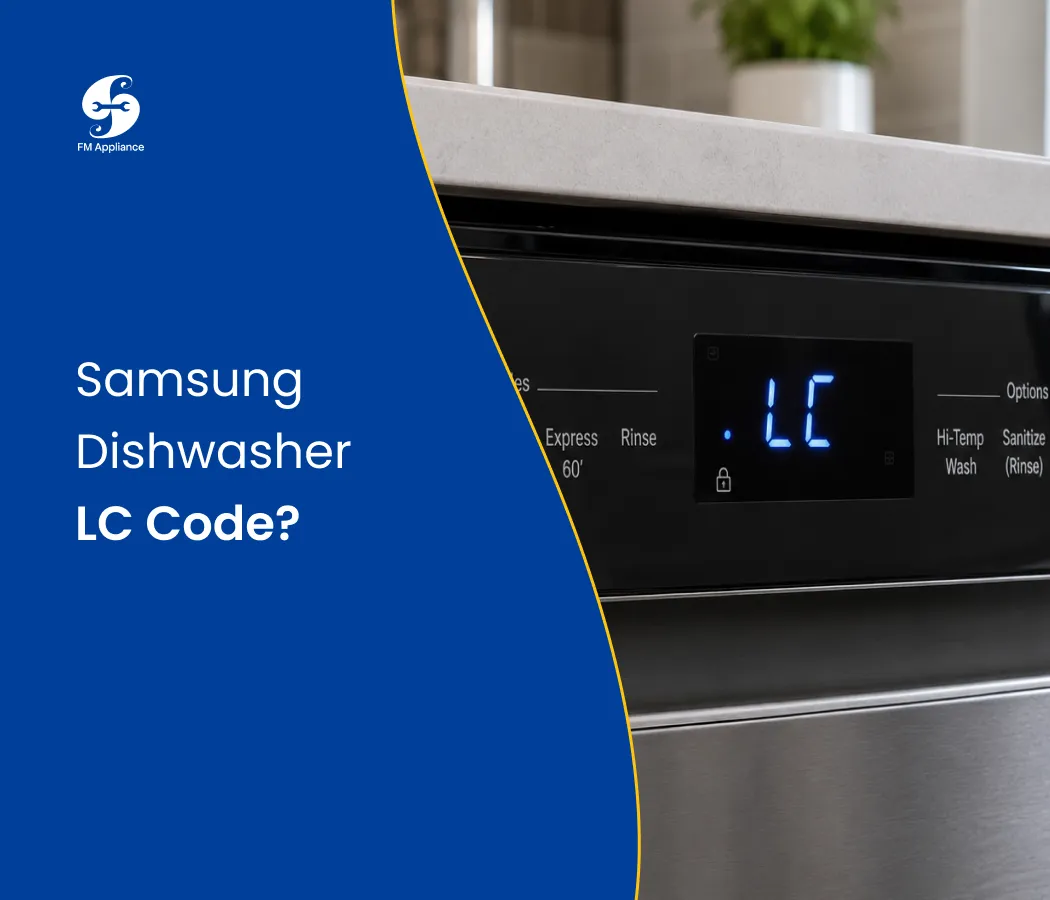
The LC code on a Samsung dishwasher stands for Leak Check. It means the dishwasher's built-in leak sensor has detected moisture in the base of the machine — and has locked the appliance as a precaution to prevent water damage.
On some Samsung models, you may also see the LC code displayed as LE — both refer to the same leak detection alert.
The Samsung dishwasher LC error is a safety feature, not a malfunction in itself. But what triggered the sensor in the first place is what needs your attention.
What Causes the Samsung Dishwasher LC Code?
Several things can cause moisture to reach the leak sensor and trigger the Samsung LC error code:
Excess suds from wrong detergent — the most common cause by far
Too much detergent — even the right product can overflow if overdosed
A leaking door gasket or seal — water escapes around the door during cycles
Loose or cracked internal hose connections
A faulty water inlet valve — allows water to enter when the cycle isn't running
The dishwasher was tilted or moved — water sloshes into the base and trips the sensor
A stuck or oversensitive leak sensor — triggers falsely even after water has dried
How to Fix the Samsung Dishwasher LC Code
1. Stop the Cycle and Unplug the Dishwasher
The moment you see the Samsung dishwasher LC code, the first thing to do is stop the machine and cut the power. Running the dishwasher while the LC error is active can worsen any underlying leak.
What to do:
Press Cancel or Power to stop the current cycle
Unplug the dishwasher from the wall outlet or switch off the breaker
Leave it powered off for at least 15 minutes before doing anything else
This gives any moisture in the base tray a chance to evaporate — and sometimes clears the LC code entirely on its own.
2. Check and Change Your Detergent
The single most common trigger for the Samsung dishwasher LC code is using the wrong type of detergent — or too much of the right one. Regular hand dish soap creates excessive foam that overflows out of the tub and into the base, tripping the leak sensor instantly.
What to do:
Only use detergent specifically formulated for dishwashers
Never use hand soap, laundry detergent, or general-purpose cleaners
Use the recommended dosage — resist the urge to add extra
If you've used the wrong product, run a rinse-only cycle to flush out suds before resetting
Switching to a quality dishwasher detergent pod or tablet is one of the simplest ways to prevent the LC error from recurring.
3. Tilt the Dishwasher to Drain the Base
If water has collected in the base tray, the leak sensor will remain active until that water is gone. Tilting the machine is the fastest way to drain it.
What to do:
Make sure the dishwasher is unplugged
Carefully tilt the machine forward at a 45-degree angle
Hold the position for 30–60 seconds to allow water to drain out
Set it back upright and leave it for 15–20 minutes to dry further
Restore power and run a test cycle
This step alone clears the Samsung dishwasher LC code in many cases — especially when the error was caused by suds overflow or the appliance being recently moved.
4. Inspect the Door Gasket
A damaged or dirty door gasket is one of the most frequent hardware causes of the Samsung LC error code. If the seal around the door isn't tight, water leaks out during every cycle and eventually finds its way to the base sensor.
What to do:
Open the dishwasher door and examine the rubber gasket running around the entire door frame
Look for cracks, tears, warping, or sections that have peeled away
Wipe the gasket down with a damp cloth — food debris and grease buildup can prevent a proper seal
If the gasket is visibly damaged, replacement is the only fix
A faulty door gasket will keep triggering the LC code on your Samsung dishwasher until it's replaced. You can source genuine Samsung dishwasher parts to make sure you get the right gasket for your model.
5. Check Internal Hose Connections
Inside your Samsung dishwasher, a network of hoses carries water between the inlet valve, pump, spray arms, and drain. If any of these connections are loose or the hose material has cracked, water drips into the base and triggers the LC error.
What to do:
Remove the lower kick plate at the front base of the dishwasher
Use a flashlight to inspect visible hoses and connections for moisture, mineral deposits, or dripping
Gently press on hose connections to check they're firmly seated
Replace any hose that shows visible cracking or deterioration
Even a slow, minor drip is enough to keep the Samsung dishwasher LC code active over time.
6. Examine the Water Inlet Valve
The water inlet valve opens to let water into the dishwasher at the start of a cycle — and closes when enough water has entered. A faulty valve that doesn't close properly allows water to continuously trickle in, eventually overflowing into the base and triggering the LC code.
Signs of a failing inlet valve:
Water pools in the tub even when the dishwasher is off
The dishwasher fills more slowly than usual
The LC error returns quickly after clearing
Replacing the water inlet valve is a moderately involved repair. If you're not confident working with internal components, this is a good time to call in a professional for Samsung appliance repair.
7. Reset the Leak Sensor
Sometimes the Samsung dishwasher LC code lingers even after the moisture has fully dried — because the sensor is still in its triggered position. A manual reset can clear it.
What to do:
Make sure the dishwasher is completely powered off and unplugged
Remove the kick plate and locate the leak sensor (a small float or optical sensor near the base)
Gently clean around the sensor with a dry cloth to remove any residue
Allow the base to air dry for several hours if any moisture remains
Restore power and test
For more tips on keeping dishwasher sensors and components in good shape, see our preventive appliance maintenance guide.
How to Reset a Samsung Dishwasher After the LC Code
Once you've identified and fixed the cause, here's how to reset and clear the Samsung dishwasher LC error:
Press and hold the Start/Cancel button for 3 seconds to cancel any active program
Turn the dishwasher off using the power button
Unplug from the wall outlet or turn off the circuit breaker
Wait 5–10 minutes
Restore power, turn on the machine, and run a short test cycle
If the LC code doesn't reappear, the problem is resolved. If it comes back during the first cycle, there's still moisture present or an unresolved leak that needs further attention.
How to Prevent the Samsung Dishwasher LC Code
Keeping the Samsung LC error away for good comes down to a few consistent habits:
Always use dishwasher-specific detergent in the correct dose
Inspect the door gasket every few months for wear, debris, or gaps
Don't overload the dishwasher — overstuffed racks can prevent the door from sealing properly
Run a monthly maintenance wash with a dishwasher cleaner to remove grease and mineral deposits
Check under the machine periodically for any signs of moisture or dripping
When to Call a Professional
If you've drained the base, switched to the correct detergent, and inspected the gasket — and your Samsung dishwasher LC code keeps coming back — it's time for a professional diagnosis. Call a technician if:
The LC error reappears within a cycle or two of being cleared
You can see or hear water leaking during operation
The water inlet valve appears to be faulty
Internal hoses are damaged or inaccessible
The leak sensor itself needs to be replaced
Schedule a repair with our team and we'll pinpoint the source of the leak quickly before it causes damage to your flooring or cabinetry.
Final Thoughts
The Samsung dishwasher LC code is your machine's built-in defense against water damage but it can only do its job if you take it seriously. In most cases, the fix is as simple as switching detergents, draining the base tray, or replacing a worn door gasket.
Take the time to identify the real cause, and the Samsung LC error won't be a recurring problem in your home.

